GUIDENodes, 8 chapters
Dedicated vs shared RPC: which one do you need?
Shared RPC is where almost every app starts, and for good reason: it is cheap, and it works. Then one day your bot misses a block because it got a 429 Too Many Requests, or the monthly bill passes what a whole server would cost. This guide shows you where that line is, with real numbers.
We read the price pages and per-method weights of four big shared providers in October 2026 and built a calculator from them. Put in your traffic and it shows the cheapest plan that can carry it, next to a flat dedicated node.
You also get the warning signs, an honest list of what a dedicated node does not do, and a five-step way to switch without downtime.
 HeroRPC teamPublished
 - Updated
- Prices checked
- Read
- 10 min
Where do you want to start?
In this guideThe quick answer
Quick answer
Dedicated vs shared RPC: the short answer
Shared RPC is one endpoint that many customers use at once. You pay per request, in credits or compute units, and every plan has a speed limit.
A dedicated RPC node is a whole node for you alone, at a flat monthly price. Nobody else's traffic slows it down, and there is no per-request bill.
Start shared. Move when the shared bill passes the node price, or when limits start breaking things. For a typical app on Ethereum, the cheapest listed shared plan passes a $139 node at about 26 million requests a month.
- Shared: cheap to start, metered, rate limited
- Dedicated: flat price, unmetered, one chain per node
- Break-even for a typical Ethereum app: about 26 million requests a month
CHAPTER 01
What shared and dedicated RPC actually mean
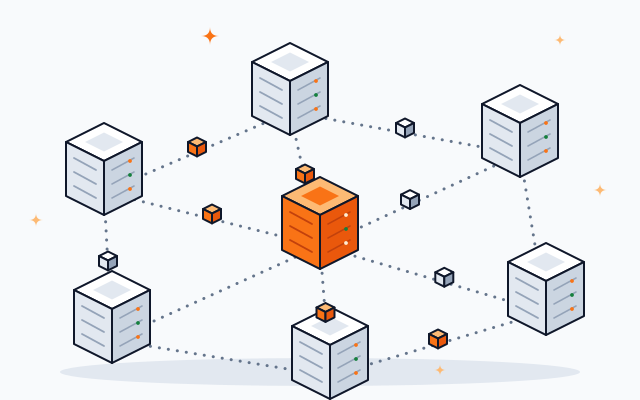
Same JSON-RPC calls, very different deal behind the address.
An RPC endpoint is the address your app sends blockchain requests to. With shared RPC, a provider runs a fleet of nodes behind one address and many customers share it. With a dedicated node, one node serves one customer.
Your code does not change between the two. Both answer the same calls, like eth_call or eth_getLogs. What changes is who else is in the line, and how you pay.
| Question | Shared RPC | Dedicated node |
|---|---|---|
| Who uses it | Many customers | Only you |
| How you pay | Per request, in credits or units | One flat monthly price |
| Speed limit | Set by your plan | What the server can answer |
| Bill when traffic doubles | Goes up | Stays the same |
| Many chains with one account | Yes | One node per chain |
| Cheapest at low traffic | Yes, often free | No |
| Server access | No | Yes, on HeroRPC |
Shared columns describe the plans of the four providers in this guide.
CHAPTER 02
How shared RPC plans bill you

Every provider counts requests in its own unit, and weighs each method differently.
Shared plans do not count requests. They count units: QuickNode API credits, Alchemy compute units, Infura credits and Chainstack request units. Each method costs a different number of units, and each plan includes a fixed amount a month.
This is why two apps with the same request count can get very different bills. A log-heavy indexer burns units much faster than a wallet that reads balances.
| Method | QuickNode | Alchemy | Infura | Chainstack |
|---|---|---|---|---|
eth_call | 20 | 26 | 80 | 1 |
eth_getBalance | 20 | 20 | 80 | 1 |
eth_blockNumber | 20 | 10 | 80 | 1 |
eth_getLogs | 20 | 60 | 255 | 1 |
From each provider's own docs, checked October 2026: QuickNode, Alchemy, Infura, Chainstack. Units are not comparable across providers until you multiply by price.
Two more rules shape the bill. Chainstack counts any request for data older than 127 blocks as archive, at 2 units instead of 1. And Infura counts credits per day, so a busy day can hit the limit even when the month looks fine.
The speed limit comes first
Every plan also caps requests per second. QuickNode Build allows 50 a second, Chainstack Growth 250, and Alchemy Free 15. A bot that fires 200 calls in one second hits that cap long before it uses up the month.
CHAPTER 03
The break-even point: when a dedicated node is cheaper
Your traffic in, the cheapest shared plan and the flat node price out.
A dedicated node becomes cheaper when the cheapest shared plan that can carry your traffic costs more than the node. For a typical Ethereum app (mostly contract reads, some logs) at a peak of 25 requests a second, that happens at about 26 million requests a month, against a $139 node.
Pick what your app mostly does, how many requests it sends a month and how many it sends in its busiest second. The calculator skips any plan that cannot carry that, and shows the cheapest one that can.
Four traffic levels, worked out
| Traffic | QuickNode | Alchemy | Infura | Chainstack | HeroRPC Ethereum node |
|---|---|---|---|---|---|
| 5 million, peak 10/s | $61 (Build) | $69 (Pay as you go) | $225 (Team) | $40 (Developer) | $139 |
| 25 million, peak 25/s | $277 (Accelerate) | $343 (Pay as you go) | Above listed plans | $124 (Growth) | $139 |
| 100 million, peak 100/s | $999 (Business) | $1,370 (Pay as you go) | Above listed plans | $449 (Pro) | $139 |
| 500 million, peak 250/s | $4,999 (Business) | $6,851 (Pay as you go) | Above listed plans | $1,490 (Enterprise) | $139 |
Shared prices are list prices from each provider's pricing page, checked October 2026, before tax. "Above listed plans" means the traffic needs a plan with a price on request. HeroRPC is our flat price for an Ethereum full node.
At 5 million requests, shared wins easily. At 100 million (about 39 a second on average), every listed shared plan costs more than the node.
CHAPTER 04
Seven signs you have outgrown shared RPC

Money is one reason. These are the others.
Move to a dedicated node when the shared bill passes the node price, or when limits start costing you: rate-limit errors, missed blocks, slow log queries, or a bill you cannot predict.
One tick is a warning. Two or more, and a dedicated node will likely save you time, money or both.
Need old state, not just more speed? That is a different question. The archive node guide explains when you need full history.
CHAPTER 05
What a dedicated node does not give you
An honest list, so you can decide with both sides on the table.
A dedicated node is one chain on one server. It does not spread across the world, does not include the extra APIs big shared providers sell, and is not cheaper when your traffic is small.
Go dedicated if
- Your traffic is steady and heavy The flat price beats the metered bill.
- Speed matters Bots, traders and indexers that cannot wait in line.
- You read logs and history a lot No per-method weights on your own node.
- You want control Your own server, with the logins.
Stay shared if
- Traffic is low or spiky A free or small plan costs less.
- You need many chains One account covers them all.
- You use their extra APIs NFT, token or webhook APIs are not part of a plain node.
- You need many regions A shared fleet answers from several places at once.
A dedicated node also has a ceiling: the server itself. It is unmetered, but a single machine can only answer so much. Very heavy apps run more than one node and split the load.
CHAPTER 06
Use both: a dedicated node with shared as backup
Most teams that move keep a small shared plan.
Many teams run their heavy, steady work on a dedicated node and keep a small shared plan for everything else: other chains, rare spikes, and a second address to fall back on.
- Step 1: Heavy work on the nodeIndexing, log scans, bots and anything that runs all day.
- Step 2: Light work on sharedChains you touch rarely, and one-off scripts.
- Step 3: Shared as the fallbackIf a request to your node fails, retry it on the shared address.
On HeroRPC every node plan already includes a backup node running beside yours. A shared fallback adds a second provider on top, which some teams want anyway.
CHAPTER 07
How to switch from shared to dedicated in five steps
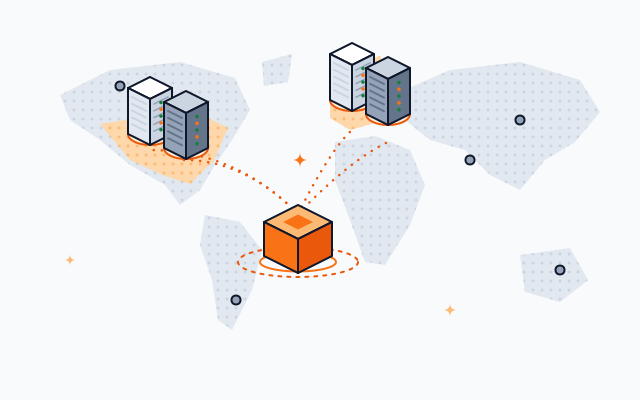
One address changes. Keep the old one for a while.
Switching is mostly one change: the RPC address in your app's settings. Measure first, order the node, test it next to the old address, then move traffic over and keep shared as a fallback for a few weeks.
- Step 1
Measure
Export last month's requests, busiest methods and peak per second from your provider's dashboard. Run them through the calculator above.
- Step 2
Pick chain and type
A full node for current data. An archive node if you read old state.
- Step 3
Order and wait for sync
On HeroRPC the endpoint is ready within 24 hours of payment and shows up in your dashboard.
- Step 4
Test side by side
Send the same calls to both addresses and compare answers and speed before you switch.
- Step 5
Switch, keep the fallback
Point your app at the new address. Keep the shared plan on its smallest tier as a backup for a few weeks.
CHAPTER 08
What a dedicated node costs on HeroRPC
One flat monthly price per chain, no setup fee.
A dedicated full node on HeroRPC costs from $139 a month ($139 on Ethereum), with no setup fee and no per-request billing. Archive nodes start at $289. Prepaying for longer terms takes up to 25% off.
Every node runs on its own server, with a backup node beside it, a private endpoint and the server logins. You pay in crypto.
See every chain on the dedicated nodes page and every price on node pricing. Comparing providers? Start with our QuickNode alternative and Chainstack alternative pages.
QUESTIONS
Dedicated vs shared RPC questions
What is the difference between a dedicated and a shared RPC node?
A shared RPC endpoint serves many customers from one fleet of nodes, bills per request and limits how many requests you send a second. A dedicated node serves only you, at a flat monthly price, with no per-request billing.
Is a private RPC the same as a dedicated node?
Not always. Many "private RPC" plans give you a personal address on the same shared fleet. A dedicated node is a whole node that runs for you alone.
When is a dedicated node cheaper than shared RPC?
When the cheapest shared plan that can carry your traffic costs more than the node. For a typical Ethereum app at a peak of 25 requests a second, that is about 26 million requests a month at the list prices we checked in October 2026. Log-heavy apps get there sooner.
What does a 429 error mean?
HTTP 429, "Too Many Requests", means you sent more requests than your plan allows in that moment. The request was refused, not answered slowly. A few a day is the first sign that you are outgrowing the plan.
Does a dedicated node have rate limits?
On HeroRPC there is no per-request billing and no plan rate limit. The only limit is what the server can answer, which depends on the chain and the methods you call.
Do I need to run my own node instead?
You can, if you have the hours. Running it yourself means renting the machine, waiting out the initial sync, applying each software release and getting paged when it falls behind. A dedicated node from a provider gives you the endpoint without that upkeep.
Can I pay for a dedicated node in crypto?
Yes. HeroRPC checkout takes crypto, and there is no setup fee.
ABOUT
How we made this guide
In October 2026 we opened each provider's own pricing page and its own page of per-method weights, and copied the plan prices, included units, prices for extra units and speed limits. None of the pages shows a date. The calculator turns your request mix into each provider's units, skips plans whose speed or allowance cannot carry the traffic, and shows the cheapest remaining plan. Trace and debug calls are left out because not every provider publishes their weight. HeroRPC prices are our own list prices.
Written by
Written and checked by the people who run HeroRPC's builder and node servers. Every figure links to its source.
Published . Last updated .
Outgrown your shared plan?
Your own node, flat price, from $139 a month. Pick the chain, pay in crypto, and your endpoint is ready within 24 hours.